
A baseline is not a claim that I have found the best possible settings.
It is a claim that I have found a set of settings I can run again tomorrow and get the same behavior.
That distinction matters. Most “recommended settings” posts I see are optimized for the nicest single result the author happened to get. Mine is optimized for repeatability on the hardware I actually own. If the baseline drifts, I want to know whether I changed something or whether the underlying stack changed. Without a fixed reference point, every new experiment becomes a guess.
This post locks down the first reproducible Wan2.2 baseline I trust enough to use as a measuring stick. It includes the exact versions, the seed policy, the core nodes, the resolution and frame-count defaults, and the hardware conditions under which the numbers were collected. Future comparison posts will start from this configuration and change one variable at a time.
If you can’t reproduce it, it’s not a workflow. Here is the reference I am holding myself to.
Hardware and Environment
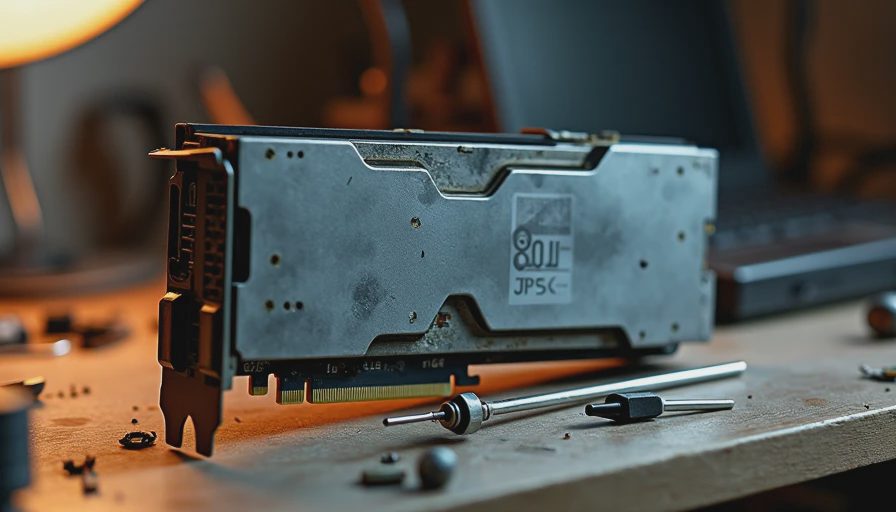
All numbers in this baseline were collected on the following setup unless noted otherwise:
GPU: used RTX 3090 (24 GB), second-hand card I repaired and dedicated to testing
Power limit: set for sustained runs so the card does not thermal-throttle mid-sequence
System RAM: 64 GB
OS and driver: logged at the time of the run (I keep a short environment note with every baseline package)
ComfyUI: pinned version / commit recorded in the workflow notes
Custom nodes: only those required by the minimal graph; no extra detailers, upscalers, or experimental nodes
I deliberately use the 3090 as the reference card. It is a realistic 24 GB consumer part that many independent users still run. If a later test requires a 4090 to stay stable, I will say so explicitly instead of quietly changing the hardware under the reader.
Core Principles of the Baseline
One variable at a time later. The baseline itself is fixed. Experiments branch from it.
Short enough to be cheap, long enough to expose problems. I default to a frame count that already revealed clothing-identity drift in earlier failure tests.
Explicit over automatic. Model paths, precision, and key sampler settings are written down, not left to auto-detection.
Failure is data. The baseline is allowed to show known limitations. Hiding them would defeat the purpose.
Default Generation Settings
These are the values I treat as the starting point for new tests:
Resolution: 480p (exact pixel dimensions recorded in the workflow)
Frame count: 24
Seed: fixed integer, recorded in every run note
Steps: fixed value chosen for stability rather than maximum detail
Sampler and scheduler: named and locked
CFG scale: fixed
Precision: fp16 unless a specific test requires quantization
Offloading: disabled for the pure baseline; enabled only in explicit memory experiments
I chose 24 frames because shorter clips (8–12 frames) often looked deceptively stable, while 24 frames reliably surfaced the temporal identity issues I documented in the earlier failure report. A baseline that never stresses the temporal mechanism is not very useful.
Model and Node Inventory
The baseline graph is deliberately close to the smallest working workflow I previously published. The required pieces are:
Explicit Wan2.2 diffusion model loader (path and precision noted)
Text encoder loader(s)
VAE loader (treated as its own variable; version recorded)
Prompt encoding nodes (positive and negative)
Core sampling node(s) for the video generation step
VAE decode
Frame assembly / video save node
I avoid nested subgraphs in the baseline. Readability matters more than compactness when the goal is replication by other people.
Every node that remains has a job. If I cannot explain why a node is present, it does not belong in the baseline.
Seed Policy
I use a single fixed seed for the baseline package so that anyone loading the workflow can generate the identical starting point I used. When I run variance tests later, I will document the range of seeds and the observed spread. For the baseline itself, reproducibility beats variety.
I also keep a small set of “known hard seeds” that previously produced clothing drift or other artifacts. Those seeds are not part of the default baseline run, but they are part of the regression suite I re-check after any significant change to loading, VAE, or memory settings.
What the Baseline Is Allowed to Get Wrong
A useful baseline is allowed to be imperfect. Mine still shows:
Stiffer motion than I would accept for final delivery
Occasional minor texture shimmer
The same class of clothing-identity risk that appears once frame counts grow
I am not hiding those behaviors. They are part of the measured starting point. When a later experiment claims improvement, it has to improve on these specific, documented weaknesses, not on a vague sense of “looking better.”
How I Package the Baseline for Replication
When I publish the accompanying files I include:
The workflow JSON with relative or clearly documented model paths
A short plain-text note listing exact model filenames, versions, and hashes where useful
The positive and negative prompts used
The seed
Resolution, frame count, steps, sampler, scheduler, CFG
Peak VRAM observed on the 3090
Wall-clock time for the reference run
A short description of any known failure modes that still appear
That package is the real deliverable. The pretty preview image is secondary.
How Future Posts Will Use This Baseline
Every controlled comparison I publish under The Wan Bench should state whether it started from this baseline and which single variable was changed. Examples of planned branches:
Resolution: 480p vs 720p with everything else locked
Frame count: 16 vs 24 vs 48
Precision and memory: fp16 vs quantized vs offloaded
VAE variants
Sampler / scheduler swaps
If a post cannot say what it held constant, it is not a clean comparison.
Practical Advice for Building Your Own Baseline
Pick the hardware you actually own and write it down.
Choose a frame count that is long enough to expose temporal problems.
Lock the seed and the prompt.
Strip the graph until every remaining node has a clear job.
Record peak VRAM and total time on a cold run.
Save the failed outputs as carefully as the good ones.
Once you have that package, you can finally start changing one thing at a time and knowing what the change did.
Closing
This baseline is not the best Wan2.2 workflow I will ever run. It is the first one I am willing to call reproducible on the hardware I use every night after Nora goes to bed.
I will update the baseline when a new model version or a clearly superior loading method forces a change. Until then, this is the reference. Everything else is an experiment measured against it.
Run the test. Save the settings. Show the failure.
The settings are part of the result.