I get the same question in different forms almost every week.
“Can I run Wan2.2 on my 3080?”
“Is 12 GB enough if I offload?”
“Do I need a 4090 or will a used 3090 actually work?”
The honest answer is never a single number. It depends on resolution, frame count, precision, whether you are doing text-to-video or image-to-video, how aggressive you are with offloading or quantization, and how much thermal headroom your case still has at 1 a.m. after Nora has gone to bed.
This post is the practical hardware reality check I wish someone had handed me before I started buying second-hand cards and watching VRAM graphs like they were stock tickers. I will stick to consumer GPUs I have actually tested or carefully measured against: primarily a used RTX 3090 (24 GB) that I repaired and turned into a dedicated test card, with notes on 16 GB and 12 GB class cards where the behavior diverges sharply.
If you can’t reproduce it, it’s not a workflow. Hardware is part of the reproducibility contract.
The Short Version First
24 GB (RTX 3090 / 4090 class): Comfortable for 480p and many 720p workflows at moderate frame counts. Still requires attention once you push frames, higher resolutions, or certain model loading combinations.
16 GB: Possible for shorter 480p clips with offloading or quantization. Becomes painful or impossible for longer sequences or 720p without heavy compromises.
12 GB and below: Expect to live in offloading and quantization land. Short clips only. Longer or higher-resolution work will either fail or become so slow that iteration dies.
Those are starting points, not guarantees. The rest of this post explains why the numbers move.
What Actually Consumes VRAM in a Wan2.2 Run
People often look at the model file size and assume that is the whole story. It is not.
In a typical ComfyUI Wan2.2 graph the memory pressure comes from several places at once:
Model weights – the diffusion model, text encoder(s), and VAE. Precision (fp16 vs quantized) matters a lot here.
Activations during sampling – these scale with resolution and, critically, with frame count. Video is not free.
Intermediate latents and decoded frames – higher frame counts and higher resolutions both hurt.
ComfyUI itself plus any custom nodes – not huge, but they are not zero, especially if you have a cluttered custom_nodes folder.
Peak spikes – some nodes allocate temporary buffers that disappear after the step but still determine whether you OOM.
I learned early that watching average VRAM is less useful than watching the peak. A run that sits at 18 GB most of the time and spikes to 23.5 GB will still kill a 24 GB card if anything else is using a few hundred megabytes.
My Test Card and Why I Chose It
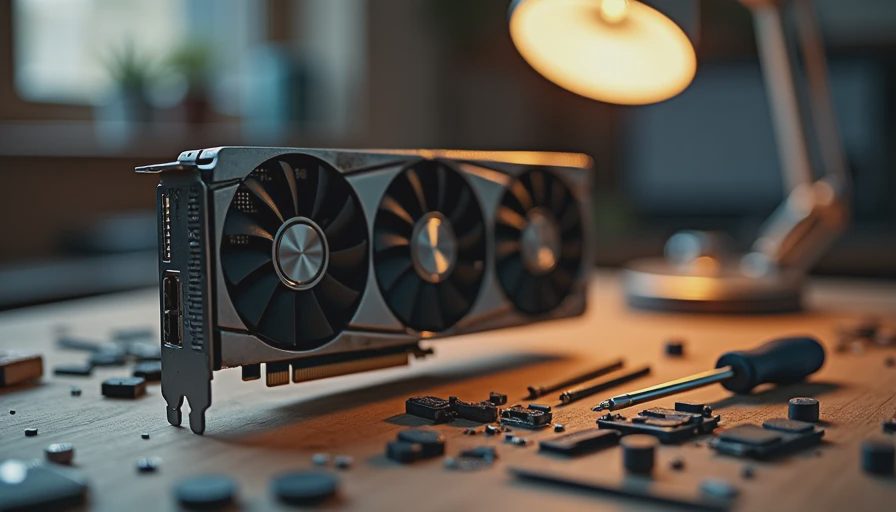
My primary test GPU is a used RTX 3090. I bought it second-hand, diagnosed a flaky power connector issue, re-padded the thermal interface, and set a reasonable power limit so it would not sound like a leaf blower while Megan and Nora were sleeping. It is not the fastest card. It is a realistic 24 GB workhorse that a lot of independent creators actually own or can still find used.
I deliberately avoid treating a 4090 as the default. If a workflow only works cleanly on a 4090 with 24 GB of fast memory and a high power limit, I will say so. Most of the numbers in this post are collected on the 3090 unless noted otherwise.
Resolution and Frame Count Are the Real Killers
Resolution gets the attention. Frame count is often the quieter killer.
On the 3090 I can usually keep a short 480p clip (16–24 frames) inside a comfortable margin with a clean minimal workflow. Moving to 720p raises both the model activation cost and the latent size. Stretching the same prompt to 48 or 64 frames raises the cost again, sometimes more than the resolution jump.
A practical observation from my logs:
480p, 16 frames, fp16, minimal graph: peak VRAM often lands in a range that leaves a few gigabytes free.
480p, 48 frames: the same graph can push much closer to the ceiling.
720p, 24 frames: frequently requires either quantization, offloading, or both if I want headroom for anything else.
These are not universal constants. They shift with model version, exact node implementation, and whether the VAE is decoded in a memory-friendly way. That is why I record the full settings every time.
Offloading vs Quantization: The First Big Trade-Off
When 24 GB is not enough, two common tools appear: offloading pieces of the model to system RAM, and quantizing weights to lower precision.
I will do a full head-to-head in a later post. For hardware planning the practical difference is this:
Offloading saves VRAM but costs time and can introduce PCIe bottlenecks. It is often the difference between “it runs” and “it OOMs.”
Quantization reduces the weight memory footprint and can keep more of the model on GPU, but it can also change output quality or temporal behavior in ways you have to measure, not assume.
On a 16 GB card I have had more success combining light quantization with selective offloading than relying on either technique alone. On a 12 GB card the same combination becomes almost mandatory for anything beyond very short clips.
Power, Thermals, and the Hidden Cost of “It Fits”
VRAM is only one constraint. Power draw and heat are the others.
A 3090 running a sustained video diffusion workload can pull hard enough to make cheap power supplies and poor case airflow noticeable. I learned to watch power limit, temperature, and fan noise together. A workflow that technically fits in 22 GB is still a bad daily driver if it forces the card to 100 % power for forty minutes and turns the office into a server closet.
For anyone sharing a living space, this matters. Biscuit has already vetoed certain fan curves. Megan has a reasonable expectation that the house does not sound like a mining rig after 10 p.m. Those constraints shaped how I set power limits and which workflows I am willing to leave running unattended.
Practical Recommendations by VRAM Class
24 GB (3090 / 4090)
Comfortable starting point for 480p work and many 720p experiments.
Still document peak usage. Do not assume you have infinite headroom.
A 4090 will usually be faster and may feel more forgiving on higher frame counts, but the memory ceiling is the same 24 GB.
16 GB
Short 480p clips are realistic with offloading or quantization.
720p and longer sequences require careful graph design and acceptance of longer render times.
Expect to spend time tuning rather than just loading a workflow and pressing queue.
12 GB and below
Treat every run as a constrained optimization problem.
Prioritize short frame counts and lower resolutions while you learn the model.
Budget time for experimentation; the first workflow you download will probably need surgery.
What I Record in Every Hardware Test
To keep results comparable I try to log the same things:
Exact GPU model and VRAM size
Peak VRAM during the run
Approximate power draw or power limit used
Resolution, frame count, precision, and whether offloading/quantization was active
Total wall-clock time from queue to finished file
Any OOM or near-OOM events
Without those numbers, a claim like “runs fine on 24 GB” is incomplete.
Closing
Wan2.2 does not have a single magic hardware requirement. It has a set of trade-offs that show up differently on 12 GB, 16 GB, and 24 GB cards. The only way I have found to speak accurately about those trade-offs is to measure them on real consumer hardware and show the settings that produced the measurement.
I will continue publishing concrete numbers from the 3090 and, when I can, from other cards. Until then, treat any hardware claim that lacks resolution, frame count, precision, and peak VRAM as a starting rumor rather than a finished specification.
Run the test. Save the settings. Show the failure.
The settings are part of the result.