Short answer: yes, for a useful range of work.
Longer answer: “comfortably” depends on what you are asking the card to do, how long you want the sequence to be, and whether you are willing to watch the VRAM graph like a hawk.
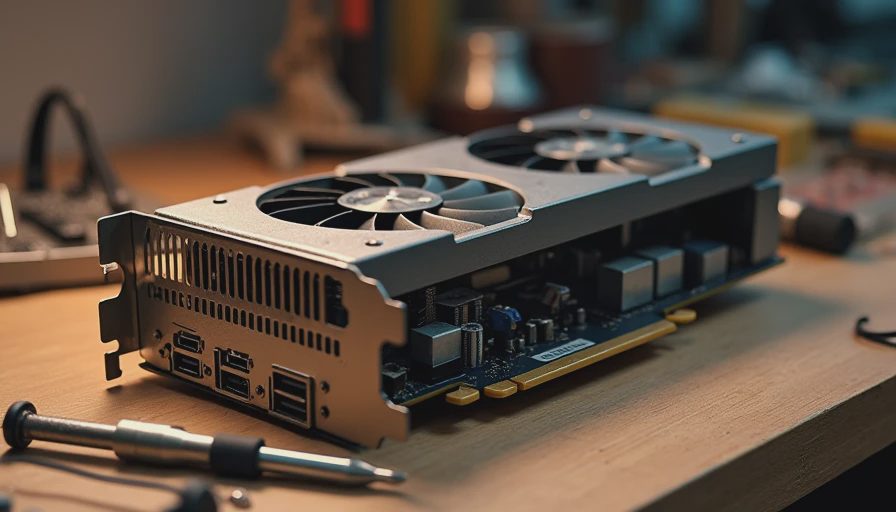
I run a used RTX 3090 as my primary test card. I bought it second-hand, fixed a flaky power issue, re-padded the cooler, and set a power limit so it would not sound like a jet engine after Nora goes to bed. It is not a 4090. It is a real 24 GB consumer card that a lot of independent creators still own or can still find. This post is the practical report on what “comfortable” looks like on that hardware when running Wan2.2 in ComfyUI.
If you can’t reproduce it, it’s not a workflow. Hardware comfort is part of reproducibility.
What “Comfortable” Means in This Context
I use a simple working definition:
The run completes without out-of-memory errors.
Peak VRAM leaves a small but real margin instead of sitting at 23.8 GB the entire time.
I can iterate the same evening without the card thermal-throttling or the power supply complaining.
The workflow does not require constant manual intervention (restarting nodes, clearing cache, or babysitting offloading).
If a configuration only works when I am staring at the logs and ready to kill the process, I do not call it comfortable.
The Baseline I Measured Against
All numbers below start from the reproducible baseline I already documented:
Minimal graph
480p
24 frames
fp16
Fixed seed
No quantization
Offloading disabled unless explicitly noted
On the 3090 this baseline typically peaks in a range that leaves a few gigabytes free. That is the comfort zone I try to stay inside for daily testing.
Where the 3090 Stays Comfortable
Short to moderate 480p clips
16–24 frames at 480p with the minimal graph is the sweet spot. Peak VRAM stays manageable. Render times are long enough to be real but short enough that I can run several variations in one evening session. Temporal issues (like the clothing drift I documented earlier) still appear, but they are model-behavior problems, not hardware problems.
Light image-to-video work
When the input image is modest in resolution and the frame count stays moderate, the 3090 handles the extra conditioning without drama. The moment I start stacking high-resolution reference images or long sequences, the margin shrinks.
Controlled experiments
Changing one variable at a time (sampler, CFG, frame count, VAE) is comfortable as long as I keep resolution and length inside the baseline envelope. This is the main use case for the card in my workbench.
Where Comfort Starts to Disappear
720p at 24+ frames
Moving to 720p raises both activation memory and latent size. On the 3090 I can still complete many 24-frame 720p runs, but the peak climbs quickly and the margin for error disappears. A second browser tab, a background Discord call, or a slightly heavier custom node can be enough to tip it into OOM territory.
Longer sequences (48 frames and above)
Frame count is often more expensive than people expect. Doubling the frames does not simply double the time; it also changes the memory profile. On the 3090, 48-frame runs at 480p already push me toward offloading or quantization if I want to keep the rest of the system responsive.
Stacked extra nodes
Detailers, face restore, upscalers, or multiple parallel samplers will eat the remaining headroom. The minimal graph is comfortable. The “kitchen-sink” graph is not.
Offloading and Quantization on the 3090
I keep the pure baseline free of both so I have a clean reference. When I need more room I test them deliberately:
Light offloading can turn a borderline 720p run into a successful one at the cost of wall-clock time.
Quantization reduces weight memory and can keep more of the model on-GPU, but I always re-check temporal behavior because quality and consistency can shift.
Neither is free. Both are tools I use when the alternative is not running at all.
Thermals and Power: The Other Half of Comfort
VRAM is only one constraint. A 3090 running sustained video diffusion pulls hard. Without a power limit and decent case airflow, the card gets loud and hot. I run a moderate power limit so the fan curve stays tolerable in a shared house. That choice costs a little peak performance and buys the ability to leave a run going without clearing the room.
If your case is cramped or your power supply is borderline, the 3090 will feel less comfortable even when the VRAM numbers look fine.
Practical Recommendations If You Own a 24 GB 3090
Start with 480p and 16–24 frames. Confirm the peak VRAM on a cold run.
Treat 720p as a deliberate step up, not the default.
Keep a minimal graph for testing. Add enhancement nodes only after the core path is stable.
Log peak VRAM and wall-clock time for every new configuration.
Use offloading or quantization as measured tools, not as permanent band-aids that hide a too-heavy graph.
Comparison Notes (Not a Full Benchmark)
A 4090 with the same 24 GB will usually finish the same workload faster and may feel more forgiving on higher frame counts because of higher memory bandwidth and compute. The memory ceiling, however, is still 24 GB. The comfort difference is real but not infinite. A 16 GB card, by contrast, forces earlier and heavier use of offloading or quantization for the same workloads the 3090 handles cleanly.
Closing
A 24 GB RTX 3090 can run Wan2.2 comfortably inside a defined envelope: moderate resolution, moderate frame counts, and a clean graph. Outside that envelope it still runs many things, but comfort turns into careful management.
I will keep publishing the actual peak numbers from this card as I test new variables. Until then, treat any claim that “24 GB is plenty” without resolution and frame count as incomplete.
Run the test. Save the settings. Show the failure.
The settings are part of the result.